
Management software for stone companies
From stone
to business.
40 years of experience. Today, more advanced than ever.
MarbleR3 brings together what is often managed separately: material location and value. Sawing, processing, reservations and documents update the cost at every step, from block to invoice.
- Runs in the browser
- Cloud or your own server
- Multilingual
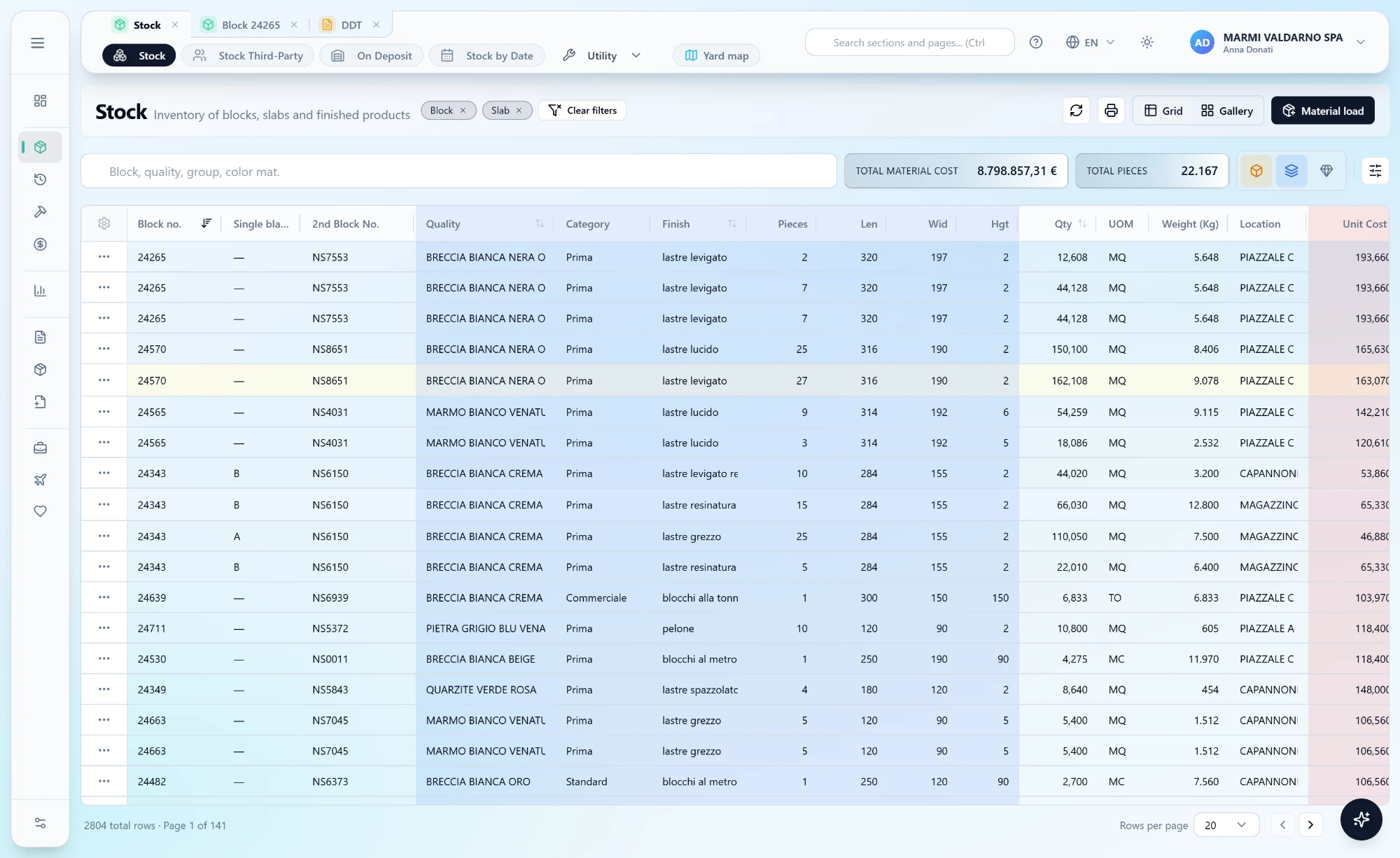
- Blocks, slabs, finished goods
- One warehouse, three kinds of material
- Cost follows the material
- Value carries over at every transformation
- IT · EN · FR · DE
- Multilingual interface and documents
- Web, mobile, offline
- Office, yard and showroom on the same data
The cost follows the material
Follow one block and see what it is worth at every step
Block 24127 arrives in the yard and leaves as slabs in a container. You already know the stages; MarbleR3 shows the figure that is often missing: what the material is worth at any moment.
A block comes in, with its price
The loading records size, grade, supplier and protocol. From this moment the block has a cost, and it keeps it for good: everything that comes later is added on top of this.
- Block purchase
- 12,480 €
- Squaring
- —
- Sawing
- —
- Polishing
- —
This is the figure you need in order to quote: not what the block cost, but what the square metre you are selling costs.
Nothing to install
All you need is a browser. There is nothing to install.
MarbleR3 lives in the browser: no program to put on the computers, no workstation running a different version. And «web app» does not have to mean somebody else’s cloud — the same application runs on your own servers if you prefer it that way.
A new computer is ready in a minute
You open the address and you are in. No installation, no packages to distribute, no updates to chase workstation by workstation.
Everyone on the same version
The update happens in one place and applies to everybody at once. The call that starts with «that button isn’t there on our machine» disappears.
Windows, Mac, the sales rep’s laptop
All it takes is an up-to-date browser. The tablet in the showroom and the laptop at the fair see the same data as the office, at the same moment.
And inside, what you see
Every tile opens onto the detail that produced it. The revenue shown is the one in the accounts, credit notes included.
- Comparison with the previous year
- Reservations and availability in square metres
- Drill-down to the document
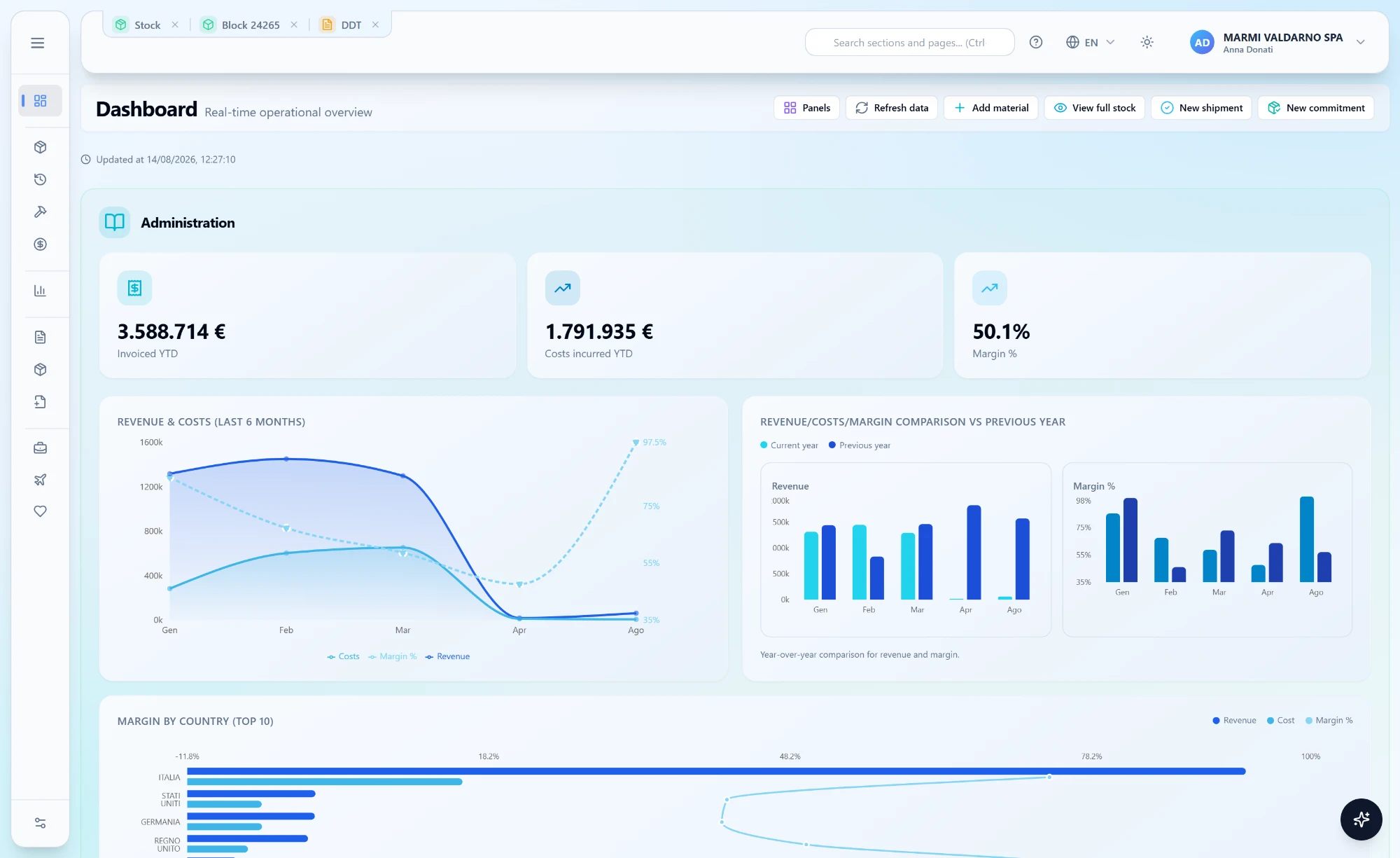
Real screens of the application. Names, numbers and amounts are made up.
Selling by image
The yard, the way your customer looks at it
The same stock, shown by appearance instead of by code. This is the view to keep open in front of a customer: the material is chosen by looking at it, and the link to send comes from there.
Grid and gallery, the same filters
Switching between views loses nothing you had already narrowed down: search, chips and advanced filters stay as you set them. What changes is how you look at the list, not the list.
The photo is of that block, not of a catalogue
Every card carries the cover shot of the material, the number of slabs available and the reservations already marked on the image: what is still free is visible at a glance.
A proposal that expires by itself
The public link goes out on WhatsApp or gets scanned as a QR code: the customer sees photos and measurements without logging into MarbleR3, and after the number of days you set the link stops working.
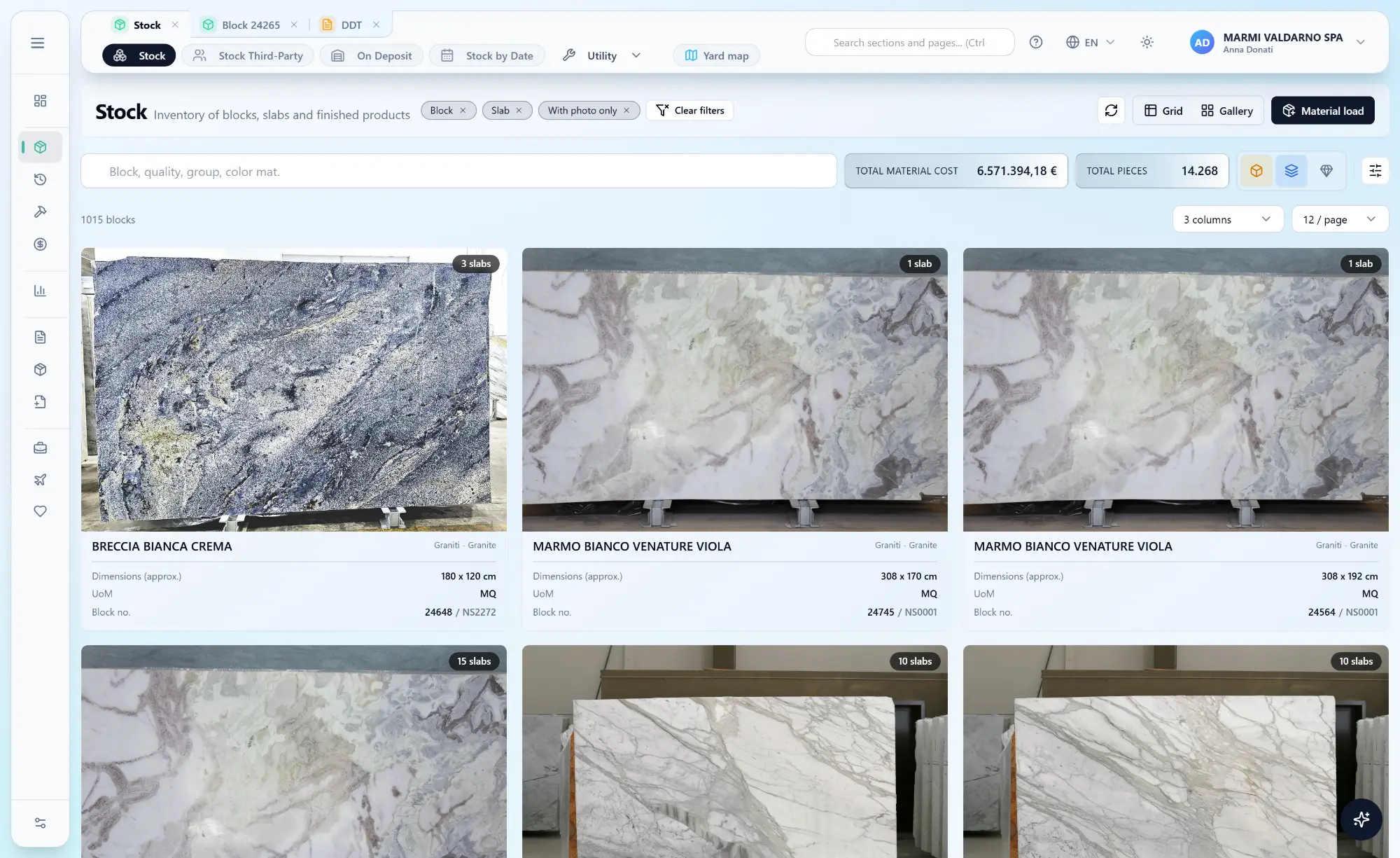
Real screens of the application. Names, numbers and amounts are made up; the slab photos are substituted.
Traceability
Where this slab came from, and the road it took
The same movements as the list, drawn as the family tree of the material. Every node is one operation, the arrows say what was born from what, and the node everything starts from is marked Origin.
One movement, several branches
A cut that splits a block into A and B is a single movement, but more than one piece comes out of it: the schema draws one card per lot, each with its own figures and its own menu.
Remaining stock, on every node
Under the figures of the operation is how much of that material is still in the yard. When nothing is left the box disappears: that branch was consumed further down.
You work from here
A click on a card opens its menu: detail, edit, transfer, and only the operations allowed for that material — sawing on a block, not on slabs.
You delete from the far end
A node with an arrow leaving it cannot be deleted: other material has already been born from it. The schema shows at a glance where to start over.
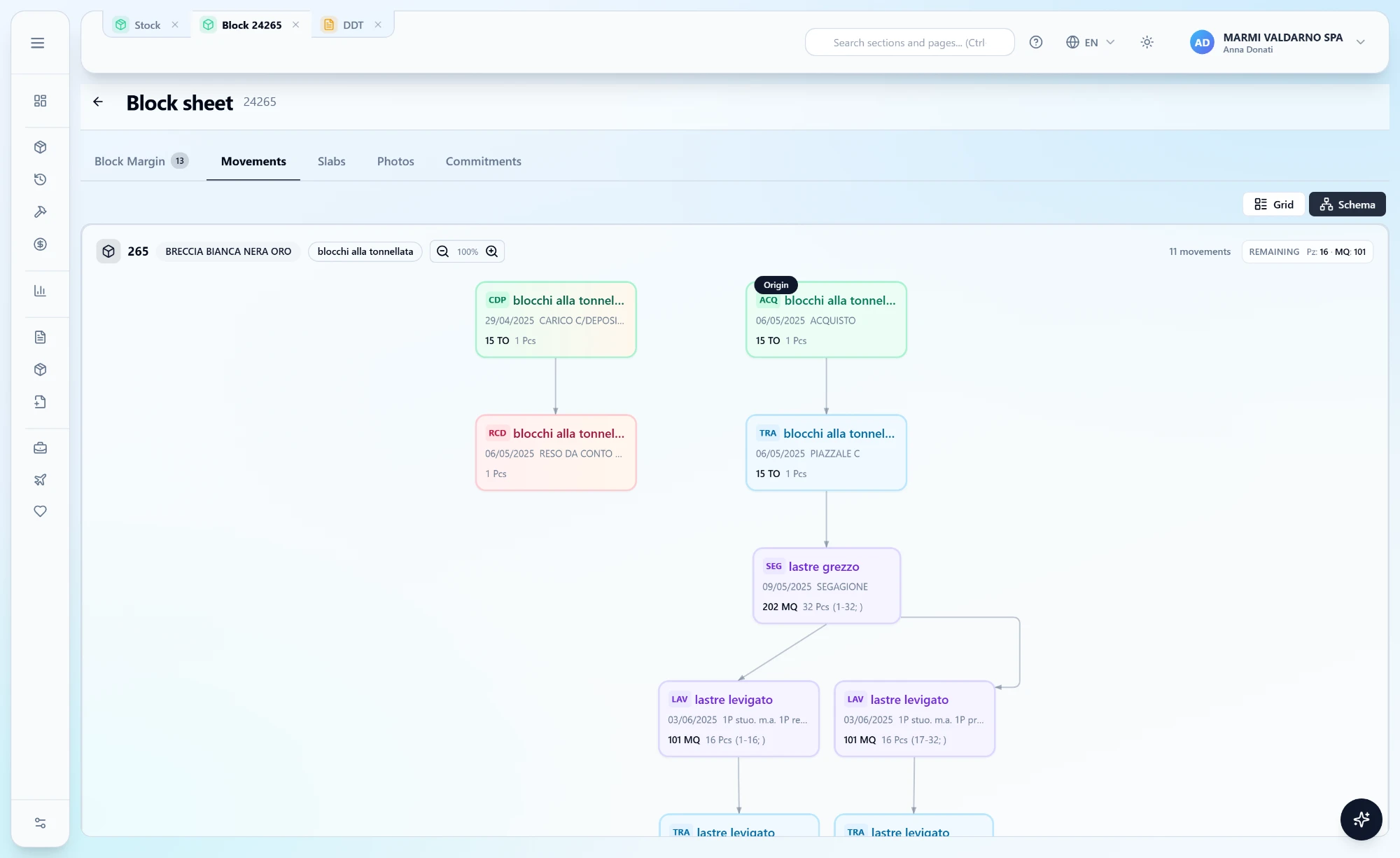
In the application the canvas pans and zooms, and every card opens its own menu.
Mobile app
And out in the yard, the warehouse is in your pocket
Alongside the web app there is an application for Android and iPhone, built for people who have the material right in front of them: in the yard, in the shed, at a trade fair or at a customer’s. Same users and same permissions as the web app — and it keeps working where there is no signal.
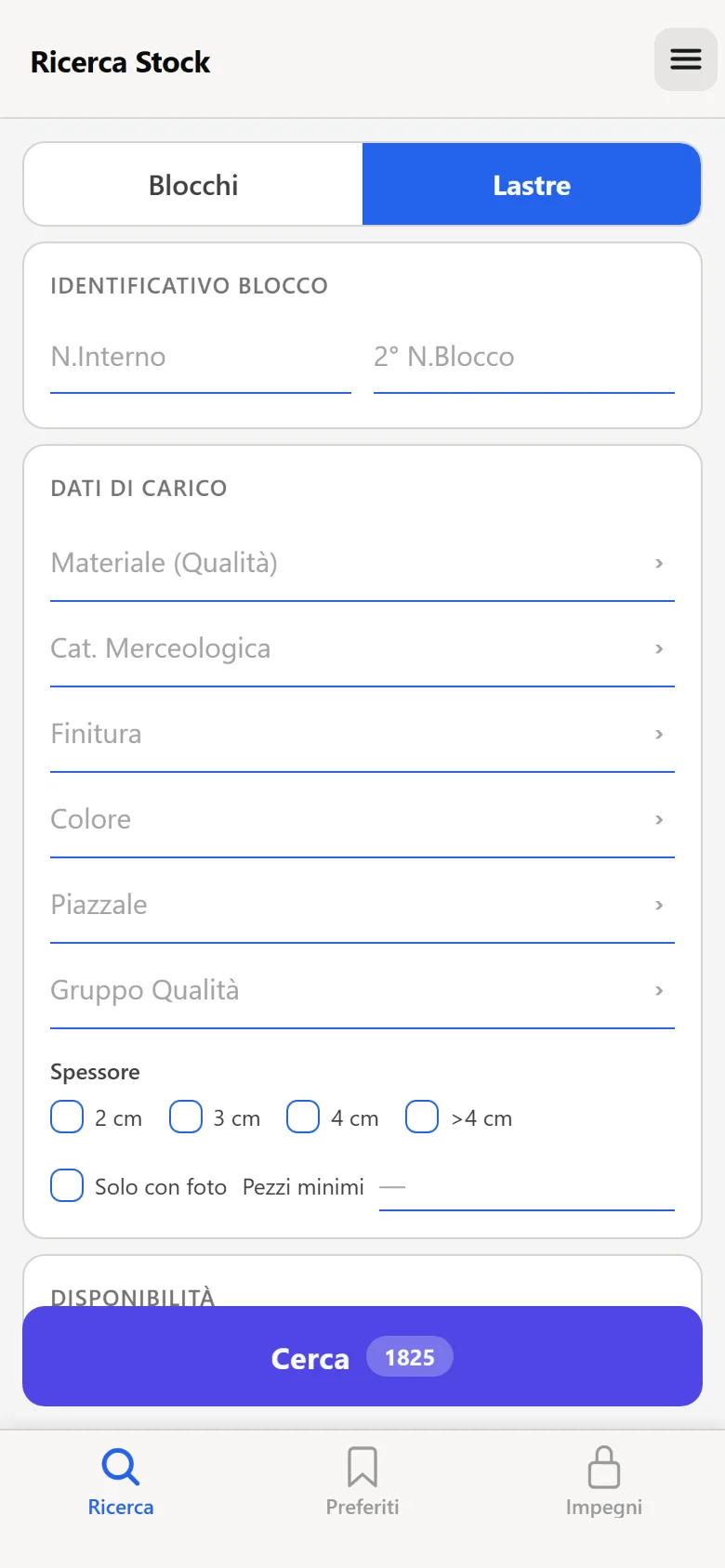
Search for the slab while standing in front of it
Search by quality, finish, colour, category and yard; results as a list or as a gallery of photos. The block sheet shows measurements, slabs obtained and photographs.
Favourites to show the customer
Material worth remembering goes into a saved selection, ready to open in front of the customer without running the same search again.
Reservations always in view
What is already reserved, and for whom. It stops the same slab being promised twice.
No signal, no problem
Before heading out the app takes the data and the photos with it. In a quarry or a shed the connection is what it is: the app answers anyway.
What it takes with it
Synchronisation downloads to the device, in this order:
- 1Filters and master data — qualities, finishes, colours, categories, yards
- 2Stock, as inventory accounting sees it
- 3Reservations already recorded
- 4Photographs of the material, only the ones not yet downloaded
Photos already on the device are not fetched again: from the second run on, synchronisation is far quicker.
Real screens from the app, with invented names and numbers. Android and iPhone, with the same licences and permissions as the office application.
Modules
Build the system that fits your company
MarbleR3 is fully modular: you choose and buy only the modules you need, and you can start with one and extend the system at any time.
MarbleR3 Business
Warehouse · Production · Sales
The base licence, and a complete system on its own: stock of blocks, slabs and finished products, yard map, sawing and processing with the cost carried onto the material produced, sales documents from delivery note to invoice, statistics and dashboard.
Customer orders
Orders and confirmations, order book and progress measured on goods actually delivered, not on promised dates.
Supplier orders
Purchase orders and incoming goods: at goods-in the material is matched to its order instead of being typed again.
Third-party processing
Material you process for others: it comes in, is worked and goes back to its owner without ever becoming your stock, with the price lists to invoice.
Consignment stock
Material a customer leaves on deposit with you: in the yard you find it like your own, but it stays theirs, out of your owned stock and out of sales documents.
Online catalogue
The public showcase of available slabs, in four languages, with photos, filters, wishlist and quote requests.
Mobile app
Android and iPhone, with the same users and permissions as the web app. It carries data and photos with it, and works where there is no signal.
CRM
Activities, opportunities and internal and external agents, matching customer requests against real stock.
Racks and project management
The custom project (JOB): the drawing is broken down into individual pieces, each with its own material, processing and reserved spot in the racks, and followed from quote to production, packing and invoice, with the job’s cost and revenue always in view.
MarbleR3 Link
The Industry 4.0 link with your machinery: the system and the machines exchange the processing data, with nobody keying it in again.
Electronic invoicing
The invoice XML is generated inside the system and sent to the exchange system. From there each document is followed step by step: sent, taken in charge, delivered, or rejected with the reason next to it.
Accounting integration
Invoices, delivery notes and credit notes reach accounting without being typed again. Already running with several packages; for the others it gets built.
Cost centres and e-invoice import
Purchase invoices arrive from the exchange system and are posted to cost centres, so overheads can be read by department and by yard.
Customer and supplier position: statements
Open items, due dates, statements of account and bank collections: who owes what, how much and when.
Company group integration
Several companies of the same group on one installation: stock, documents and numbering stay separate, master data is shared.
Every module is enabled by licence and by permissions: two users legitimately see two different menus.
Everywhere
The same data in the office, in the yard and in the showroom
The web app in the browser and the mobile app work on the same archive. Where that archive lives is your decision.
Cloud or your own server
Managed cloud or on-premise on your servers: the choice does not change the features.
Roles and permissions
Each profile sees its own modules. Whoever loads material in the yard need not see margins.
Genuinely multilingual
Interface, catalogue and documents in Italian, English, French and German.
Artificial intelligence
Artificial intelligence, only where it truly helps
Not a chatbot glued on top: the AI reads data through a controlled layer, with no free access to the archive.
Questions about your numbers
You ask in plain words which chart you want and the system builds it on your company data.
Reports edited by asking
Printouts change on request too: add a column, group by quality, drop prices from the delivery note. The AI rewrites the report layout, which stays editable by hand exactly as before.
Assistant on the manual
An in-app manual that answers questions about how something is done, without leaving the application.
Always traced
Every model call is recorded: you know how much it was used, when, and what for.
Tailored
Every stone company has its own way of working
The foundation is solid and shared; settings, documents and integrations adapt it to your processes.
Print and documents
Reports and forms redrawn on your letterhead, with a dedicated designer.
Tables and master data
Grades, finishes, groups, yards, price lists: the classifications stay yours.
Accounting and integrations
The link to accounting already runs with several packages, and with the ones not yet connected it gets built: REST APIs and exchange formats, not a project of its own. Same for e-commerce, machinery and third-party portals.
Data migration
History is not thrown away: master data, stock and movements are brought across.
Something to take away
Two printed pieces, depending on how much you want to read
One is read standing up, the other sitting down. Both are made to be printed, or forwarded to whoever decides with you.
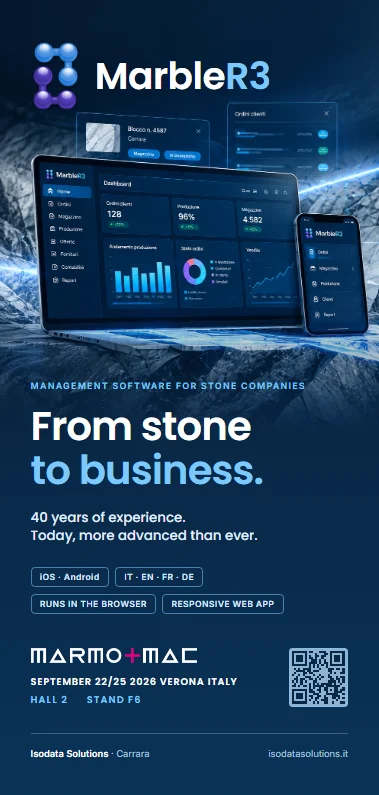
The leaflet
What MarbleR3 is, how cost builds up along the chain, every module on one panel, and the questions people ask before deciding.
PDF, about 1.8 MB · A4 unfolded, two folds
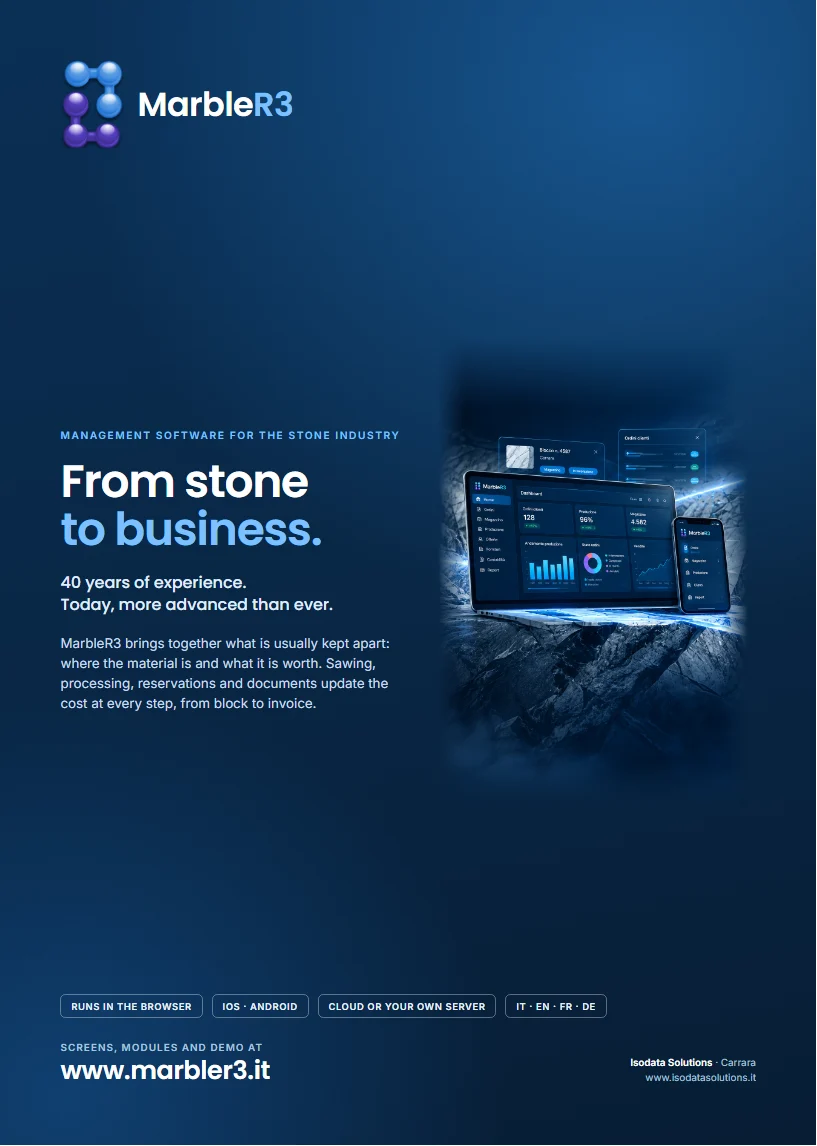
The full brochure
Module by module, with real screens from the application: warehouse and production, orders, third-party processing, catalogue and app, CRM, racks, electronic invoicing.
PDF, about 2.2 MB · A4, twelve pages
Frequently asked
What people ask us before deciding
In the cloud or on our own servers?
Both, and the choice does not change what the software does. Managed in the cloud there is nothing to install and nothing to maintain; on-premise the database stays in the company, on your servers, and access from outside is opened only if you want it.
Can we start from the data we already have?
Yes. Master data, stock and history are imported from whatever exists today — a previous system, an archive, spreadsheets. The long part is not technical: it is agreeing on how materials are classified, and we do that together before anything is loaded.
Does it connect to our accounting system?
Yes. The link to accounting already runs with several packages, and documents — invoices, delivery notes, credit notes — do not have to be keyed in twice. If yours is not among the ones already connected, that is no obstacle: it gets built on yours, and it is ordinary work rather than a project of its own. The same goes for e-commerce, machinery and third-party portals.
How long does it take to go live?
It depends on how much data has to be recovered and how many people have to be trained, not on the software. You usually start with one module — the warehouse — and add the others once the first is running, instead of switching the old system off in a single day.
Will it fit the way we work?
Much of it is set from configuration, without touching code: movement types, processing types, numbering, permissions. Printouts and documents are redrawn with a dedicated designer, on your letterhead. What stays genuinely specific is developed to measure.
Let us talk
See MarbleR3 at work on your own materials
A guided half-hour demo, with your real cases at hand. No commitment.
- +39 0585 858325
- assistenza@isodatasolutions.it
- Lun–Ven 9:00–13:00 · 14:30–18:00
- Via Campo d'Appio, 142/a — 54033 Avenza, Carrara (MS)